Chaos Canyon Roblox Chaos Canyon Controls & Tips
Inputs and settings that win BrickBattle fights.
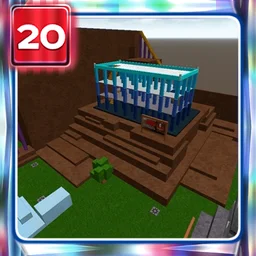
Precise controls turn Chaos Canyon from a death pit into a readable fighter. This page expands the Controls Hub with practical keybind guidance, camera advice, and gear-specific input habits for official place 14403.
The reopened experience uses R15 avatars. If your muscle memory is ancient R6 BrickBattle, spend a warm-up server before The Hunt four-KO grind (four KOs).
Default movement & camera (desktop)
Roblox defaults still rule classic places:
| Action | Typical default |
|---|---|
| Move | WASD |
| Jump | Space |
| Camera | Right mouse / mouse move |
| Sprint / stick | Depends on platform settings |
| Shift Lock toggle | Left Shift (when enabled in settings) |
| Gear hotbar | Number keys 1–0 / click slots |
| Primary use | Left click |
Rebind only if you have a strong reason. Mid-Hunt rebinds destroy Crest sessions.
Shift Lock vs unlocked camera
Shift Lock keeps facing aligned with camera — excellent for Linked Sword tracking through Complex halls and Sadwater lanes.
Unlocked camera can feel faster for sudden rocket flicks when explosions bloom behind you on Battle Cube.
Pick one scheme for the entire Hunt evening. Mixing both mid-duel causes missed lunges. More context sits on the Controls Hub.
Rocket Launcher inputs
- Select launcher on hotbar before you peek.
- Lead the target; click once per intentional shot.
- For rocket jumps: jump and fire to gain vertical boost — practice landing pads near Cube, not off Endless Stairs voids.
- Swap to sword the instant splash lands if the enemy is still upright.
Detailed weapon roles: weapon guide and ranks on the tier list.
Linked Sword inputs
- Approach with camera on torso / head line.
- Lunge on commit; avoid limp hold-click in open ground.
- Strafe with A/D while keeping lock if you use Shift Lock.
- After a miss, reset footing before another wide swing — whiff recovery matters on Sky Bridge.
Superball, bombs, Trowel, chip tools
- Superball: Aim where feet will be, not where they are; click on prediction.
- Bomb/Timebomb: Place or throw, then leave the blast — walk inputs away from fuse.
- Trowel: Click to place walls; pre-aim camera at the bridge segment you want to block.
- Slingshot / Paintball: Hold steady tracking; these are finish buttons, not panic sprays.
Settings that help BrickBattle
- Raise camera sensitivity until 180s feel natural without overspin.
- Disable heavy camera shake if Sky Bridge motion sickness hits.
- Use fullscreen on desktop for edge detection of rocket trails.
- Headphones help — explosion audio often beats visuals inside Complex.
- Cap FPS only if heat throttling causes input stutter; smooth frames help lunges.
Mobile & controller notes
Touch can clear Crest, but rocket jumps and Superball peels are harder. If you stall on KOs, borrow keyboard/mouse for the four-elimination requirement before September 28, 2026. Controllers inherit Roblox mappings; increase look sensitivity and consider Shift Lock equivalents where available.
Hunt-ready warm-up routine (3 minutes)
- Toggle your chosen camera mode once — leave it.
- Rocket jump to a mid ledge and land clean.
- Sword lunge a dummy direction change (strafe left/right).
- Place one Trowel wall and peek rocket around it.
- Open the tools checklist and join a populated server.
Mistakes that feel like “bad netcode”
- Jumping on every rocket whistle (telegraphs landings)
- Crouching in the open on Sky Bridge
- Hotbar misclicks equipping Paintball during a sword chase
- Camera yanking upward while climbing Endless Stairs
- Ignoring Ruins armor because “controls practice” turned into sightseeing — grab armor, then fight (map guide)
Accessibility & comfort
Take breaks during sweaty Crest lobbies. Hand cramps cause whiffs more than “weak weapons.” Stretch fingers between server hops. If colors blur explosive trails, increase UI contrast where Roblox allows and rely more on audio cues.
Fair play input vs injected movement
Fly hacks, speed scripts, and cooldown removers are not “controls.” They are ToS risks, especially tempting when the place is busy for Crest. Official Chaos Canyon being copylocked during Hunt already blocks many injectors; the rest can ban the account that should wear UGC (Scripts Hub). Earn movement skill instead.
No control unlock depends on promo codes (Codes Hub).
Practice progression
- Getting started — gear mental model
- This controls page — input consistency
- Map guide — where to apply movement
- Four KOs — timed Hunt execution
- Crest guide — quest wrapper
- Hunt update — schedule & hub tornado
When inputs feel boring, you are ready — boredom means stability. Stable players finish four KOs. Stable players equip Crest of the Canyon before the Hunt ends.
Return to the Controls Hub for the overview, or jump to Guides for walkthroughs.
Frequently Asked Questions
Quick answers for Chaos Canyon and The Hunt: Roblox 20.
What are the main Chaos Canyon controls on keyboard?
WASD move, Space jump, mouse aim/camera, number keys for gear hotbar, left click to use tools. Enable Shift Lock in Roblox settings if you want locked facing.
Should I use Shift Lock for BrickBattle?
Shift Lock helps sword tracking; unlocked camera can help rocket flicks. Choose one mode and keep it for the whole Hunt session.
How do I rocket jump?
Jump and fire the Rocket Launcher to boost with explosion force. Practice landings before using jumps in Crest-critical fights.
Is mobile okay for four KOs?
It works for some players, but precise jumps and peels are easier on mouse and keyboard. Switch platforms if you are stuck near the deadline.
Why do I keep equipping the wrong gear?
Slow down hotbar habits. Pre-select rocket before peeks and practice sword swaps immediately after splash hits.
Do scripts improve controls?
Injected movement violates Roblox rules and risks bans. Use this page to build real input skill instead.